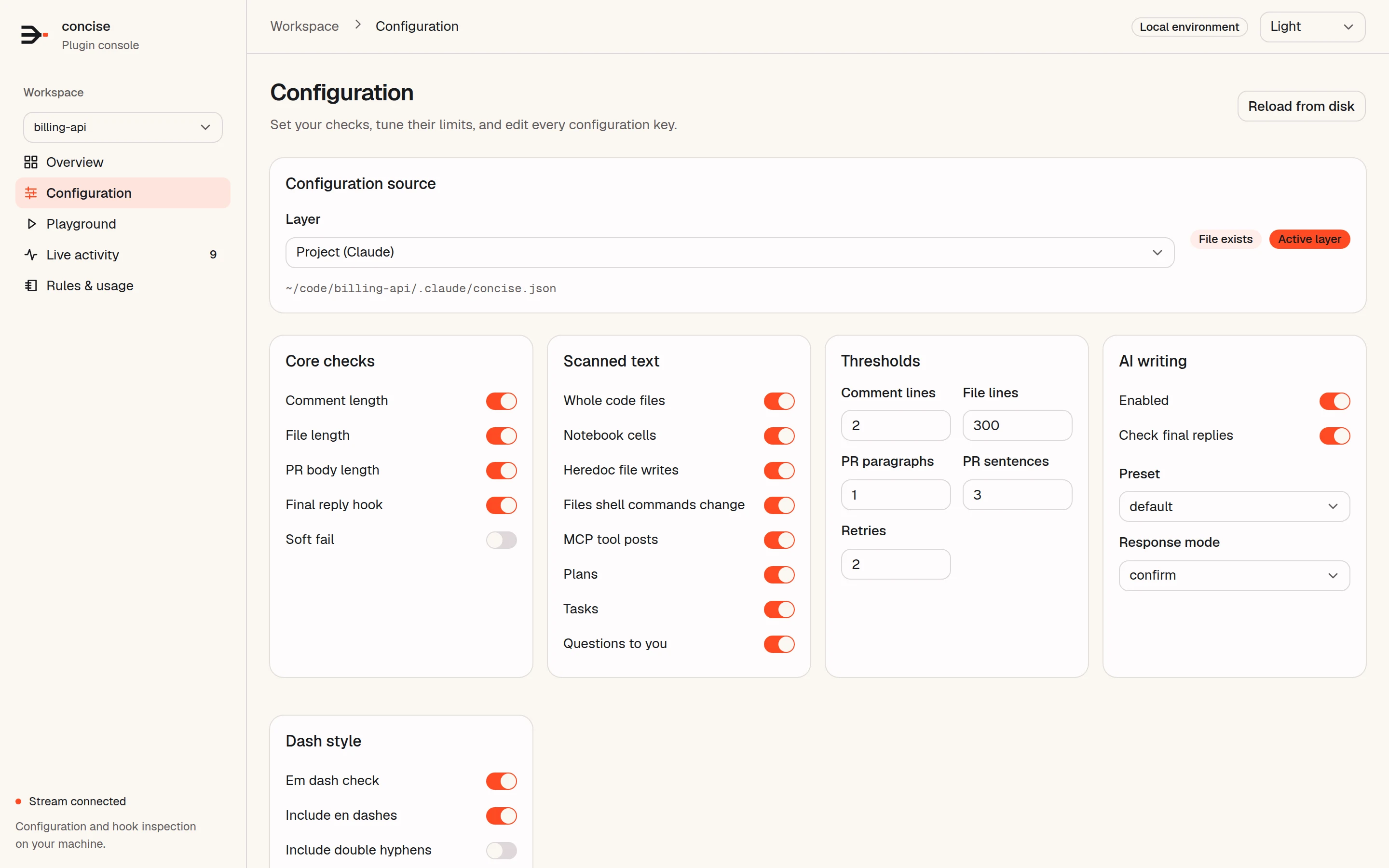
Set the checks for your project.
The core checks run without configuration. Turn on the style checks when you want them.
Choose a preset.
There are 8 presets. They go from chat boilerplate only to all 47 writing categories. This example turns on the optional em-dash and AI-writing checks.
A focused starting point for everyday projects.
{
  "features": {
    "emDash": { "enabled": true },
    "aiWriting": {
      "enabled": true,
      "preset": "default"
    }
  }
}
Codex uses .codex/concise.json.
If both exist, the Claude configuration wins.
Keep a phrase on purpose.
Put concise-ignore on the line, allow a phrase, or exempt a file. By default, style checks use confirm mode: send the identical text again to keep it.
Write docs/billing.md
[concise] AI writing patterns in ~/code/billing-api/docs/billing.md: line 3 "delves" (vocabulary: look at, examine); line 3 "game-changer" (inflation: state what changed); line 5 "In conclusion" (closers: cut, end on the last fact). Rewrite them. …

To keep it, send the identical write again to confirm. …
Try it without a block.
Set softFail: true to get findings as flagged allows. The agent sees the finding, and the write continues. Soft fail is off by default.
Write src/auth.ts
// Check whether the provided user has
// permission to access the resource.
// First read their permissions list,
// then look for the requested entry.
// Return true when a match is found.
export function canAccess(user, resource) {
  …
[concise] soft-fail: Comment at ~/code/billing-api/src/auth.ts:1 is 5 lines (limit 2). Trim it to the one non-obvious point, or put "concise-ignore" inside it if it is a genuine exception.Or use the console.
Pick a configuration layer in the local web console. Change it with switches, numbers, or raw JSON.
See the web console