Answers before you install.
What Concise checks, what it leaves alone, and how to keep text on purpose.
What runs without configuration?
The 3 core checks run: comment length, file length on whole-file writes and additions, and the length of inline GitHub PR and issue bodies. Concise also filters the output of supported test runners. The em-dash and AI-writing checks are disabled until you enable them.
Write src/auth.ts
// Check whether the provided user has
// permission to access the resource.
// First read their permissions list,
// then look for the requested entry.
// Return true when a match is found.
export function canAccess(user, resource) {
  …
[concise] Comment at ~/code/billing-api/src/auth.ts:1 is 5 lines (limit 2). Trim it to the one non-obvious point, or put "concise-ignore" inside it if it is a genuine exception.Does Concise rewrite my code?
No. Concise denies a supported tool call and gives the agent the exact finding. Then the agent can send a rewrite. The examples on this website show that exchange. This website does not run an agent or change your files.
What if I want to keep the text?
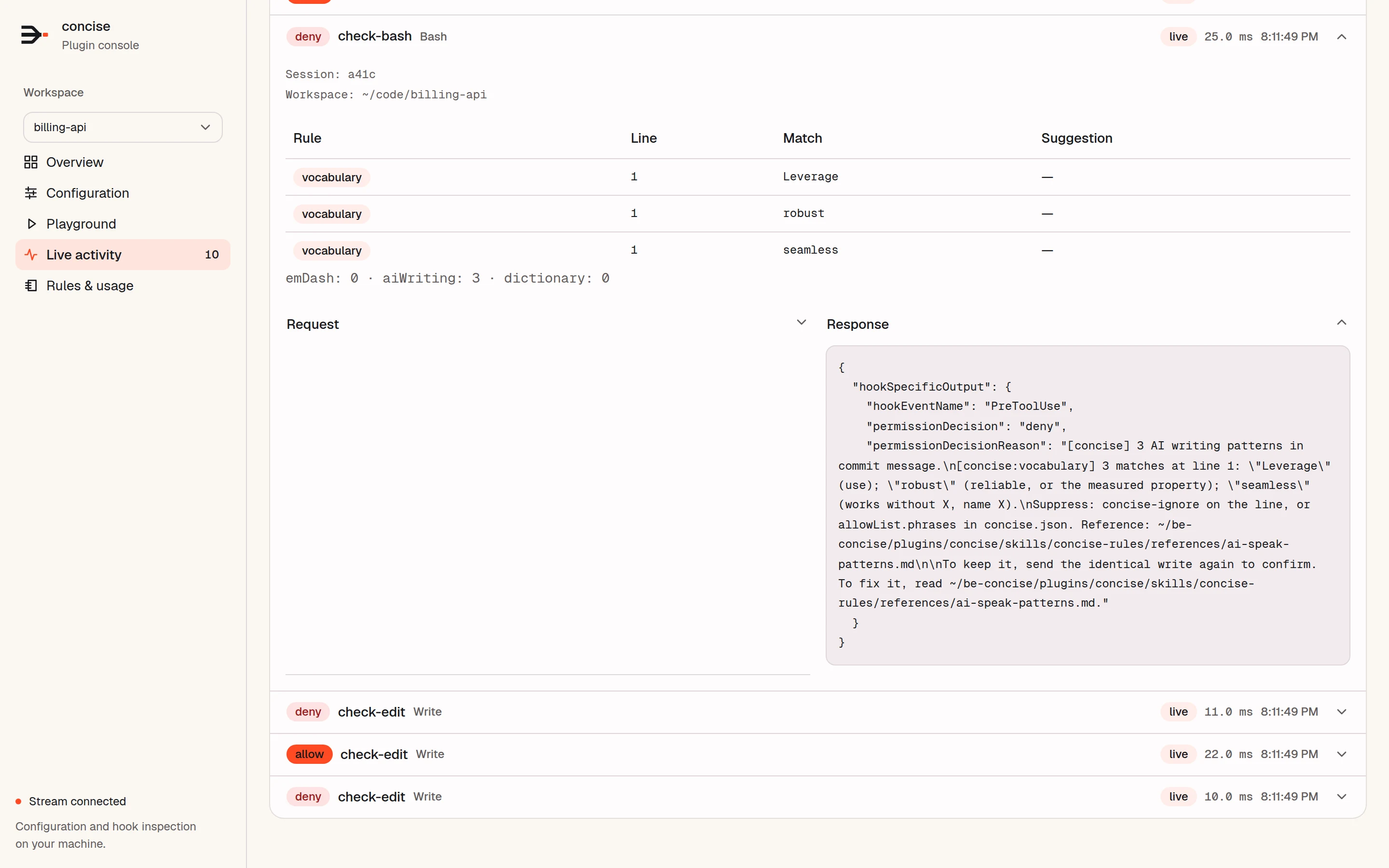
By default, style checks use confirm mode: send the identical text again to keep it. You can exempt a line with concise-ignore, allow a phrase, ignore a path, or turn on softFail for flagged allows. After 2 denials on the same target, core checks and deny mode let the next attempt through.
Write docs/billing.md
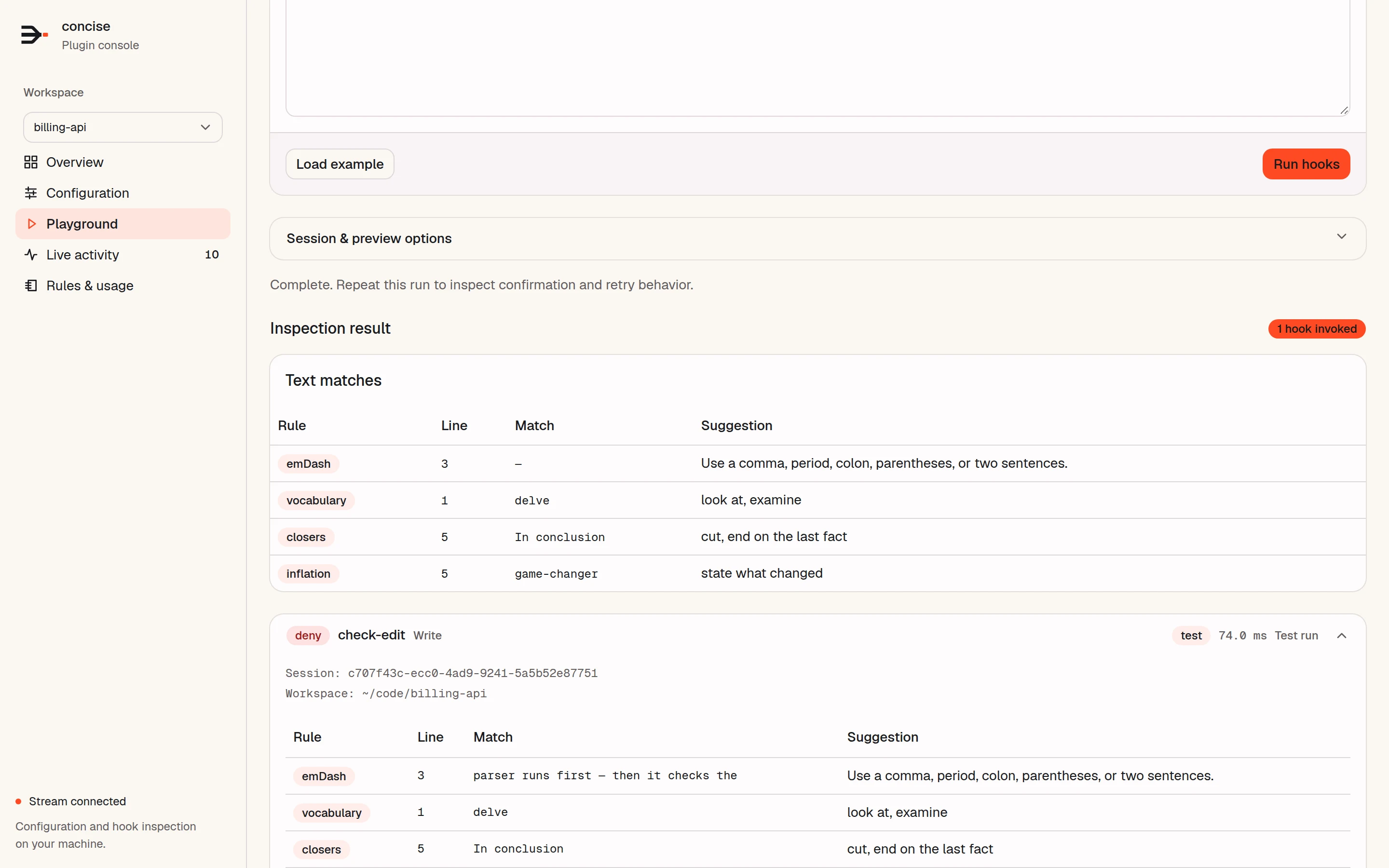
[concise] AI writing patterns in ~/code/billing-api/docs/billing.md: line 3 "delves" (vocabulary: look at, examine); line 3 "game-changer" (inflation: state what changed); line 5 "In conclusion" (closers: cut, end on the last fact). Rewrite them. …

To keep it, send the identical write again to confirm. …
Are the writing checks an AI detector?
No. The checks match patterns of phrasing, punctuation, and text statistics that you can configure. Human writing can trigger them, and generated writing can pass. Use exceptions, and choose the categories that fit your project.
Does it scan the whole repository?
No. Concise checks the submitted write or the added text in supported edit and patch calls. It does not scan the existing content around it again. The 300-line limit applies to whole-file Write calls and patch Add File operations, not to ordinary update hunks.
Which agents does it support?
Claude Code, Codex CLI 0.152.0 or newer, and omp. In Codex, review and trust each Concise hook under /hooks. Codex asks again after a hook definition changes. In omp, Concise does not check subagent replies.
Do you have a specific edge case? Open an issue on GitHub. For exact host coverage, see supported tools and host features.